
Math Solver Mental calculation1.05 - Google Play
You'll be able to see results in few seconds.
Publisher Description

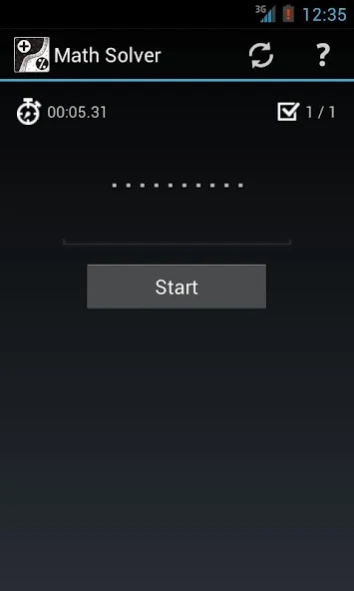
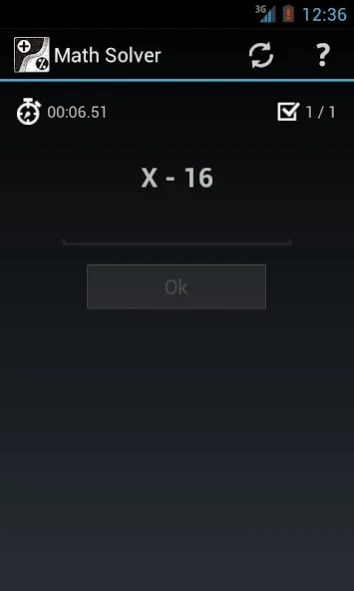
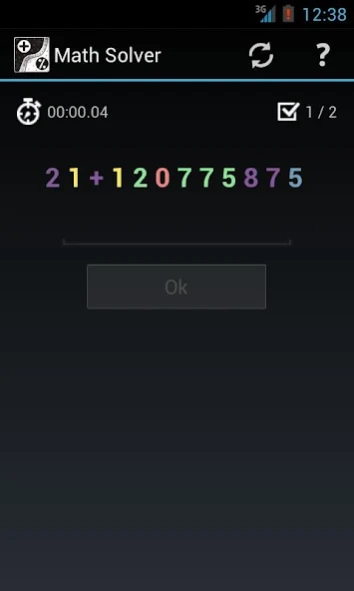
This mathematical arithmetic for improve you mental faculties.
The application is based on mathematical arithmetic and working with numbers and colors. Constant exercise will help you improve and maintain your mental faculties. Classes with the program will help you develop and strengthen logical thinking, numerical fluency, memory and mindfulness. Enhances mathematical skills on addition, subtraction, multiplication, division.
The program features three types of exercises.
* The first is the usual mathematical arithmetic. In this type of exercise, you need to calculate the mathematical expression in the mind. The complexity of the expression can be adjusted. An example of the expression: (23 * 12) + (434 / 14) to evaluate the expression we get the answer: 307. The decision is given unlimited time.
* The second exercise on the development of memory. In this type of exercise, you need to calculate mathematical expressions sequentially displayed on the screen. Each successive term is calculated based on the previous one. Complexity of expression and time display on the screen can be adjusted. Example order: "10 + 2", "X / 2", "X - 3". First calculate the first expression: 10 + 2 = 12. Then, in the second expression is substituted in place of X 12 and we get the expression: 12 / 2 = 6. Remember the answer: 6. The third expression is substituted in place of X 6 and obtain the expression: 6 - 3 = 3. The final answer: 3.
* The third exercise on the development of mindfulness. In this type of exercise, you need to calculate mathematical expressions sequentially displayed on the screen. The expression is shown for a short time - you need to have time to recognize and remember. Among the featured numbers you need to see a mathematical operator (use the "+" and "-"), the operator determines the color of significant digits, the remaining digits just distracting noise. Then the numbers are hidden - and you need to evaluate the expression. Each successive term is calculated based on the previous one. The complexity of the expression, the time display on the screen and the time allotted for the solution can be adjusted. Example of a "3 + 5 1 2", " - 5 1 1 2", "2 7 5 4 + ". At first look the color of the addition operator ("+" - say the color red), then in the expression, select all of the red numbers (for example it will be 3 and 1) - remember the result. In the second expression say the subtraction yellow ("-"), select all the yellow numbers (for example it will be 1 and 2) - evaluate the expression: 31 - 12 = 19 - remember the resulting number (19). The following terms are also looking for the addition ("+") and by its color, select all the figures of the same color (for example, it will be 2 and 5), and then evaluate the expression: 19 + 25 = 44. The final answer: 44.
This information can also be obtained in the help of program.
About Math Solver Mental calculation
The company that develops Math Solver Mental calculation is Roman Ischenko. The latest version released by its developer is 1.05.
To install Math Solver Mental calculation on your Android device, just click the green Continue To App button above to start the installation process. The app is listed on our website since 2014-09-14 and was downloaded 0 times. We have already checked if the download link is safe, however for your own protection we recommend that you scan the downloaded app with your antivirus. Your antivirus may detect the Math Solver Mental calculation as malware as malware if the download link to com.mathsolver.free.ui is broken.
How to install Math Solver Mental calculation on your Android device:
- Click on the Continue To App button on our website. This will redirect you to Google Play.
- Once the Math Solver Mental calculation is shown in the Google Play listing of your Android device, you can start its download and installation. Tap on the Install button located below the search bar and to the right of the app icon.
- A pop-up window with the permissions required by Math Solver Mental calculation will be shown. Click on Accept to continue the process.
- Math Solver Mental calculation will be downloaded onto your device, displaying a progress. Once the download completes, the installation will start and you'll get a notification after the installation is finished.
Program Details
System requirements
Download information
Pricing
Version History
version 1.05
posted on 2014-09-14
Ver. 1.05,* Bug fix keyboard hide,Ver. 1.02,* Bug fix with refresh,Ver. 1.03,* Bug fix with auto keyboard show
Disclaimer
Official Google Play Link
We do not host Math Solver Mental calculation on our servers. We did not scan it for viruses, adware, spyware or other type of malware. This app is hosted by Google and passed their terms and conditions to be listed there. We recommend caution when installing it.
The Google Play link for Math Solver Mental calculation is provided to you by apps112.com without any warranties, representations or guarantees of any kind, so access it at your own risk.
If you have questions regarding this particular app contact the publisher directly. For questions about the functionalities of apps112.com contact us.
